Make an AI music video with your own face
Upload your song → see a 10-second preview of your music video
No subscription · $5 preview
Updated
Quick answer
Can I make an AI music video with my own face? Yes. In Clipbeat, choose "Me" when you pick the singer and add a selfie. You become the main character, kept consistent across every scene of the song. Plus ($19) lip-syncs your singer on the chorus (2–3 shots, your vocals); Premium ($39) lip-syncs up to 12 singing shots across the song, not every line. You read the storyboard first, then pay once — from $5 Standard, $19 Plus or $39 Premium, priced by song length.
For an independent artist, the music video is part of the identity: fans want to see the person behind the song, not a stranger. A shoot with a crew, locations and a day of filming is out of reach for most single releases, and a generic AI video with an invented performer does not build your face as an artist.
Clipbeat lets you be the singer. Upload your song, choose "Me" and add one clear selfie. Your face is used for the main character in the performance shots and the story scenes, so the person singing the first verse is the same person in the last chorus — on a rooftop, in a desert, on a stage, wherever the lyrics take it.
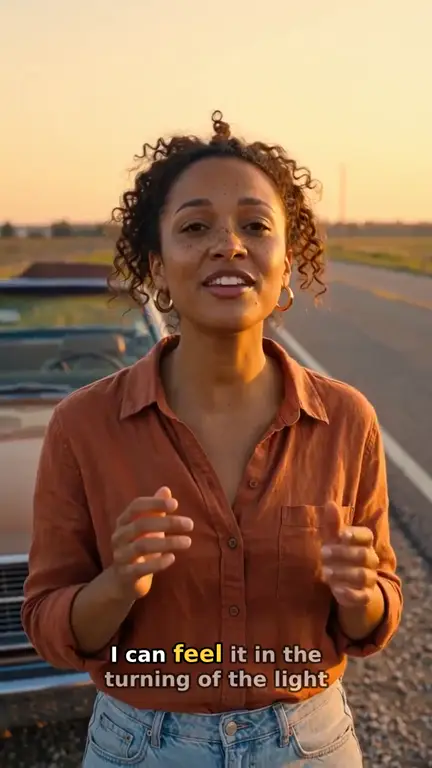
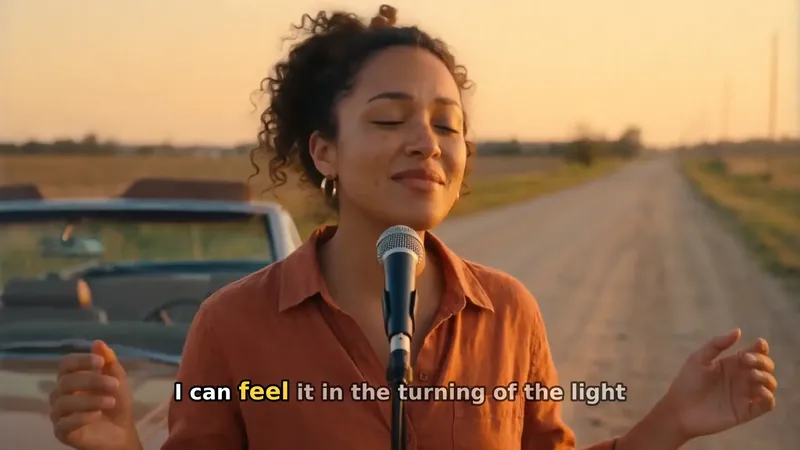
Real output · “Golden Road Home”, acoustic folk
Clipbeat at a glance
| Price per video | from $5 Standard, $19 Plus or $39 Premium — one-time, priced by song length; a 4-minute song is $14 Standard, $30 Plus or $69 Premium |
|---|---|
| Longer songs | Priced by length, up to 20 minutes; the exact price is shown before you pay |
| Before you pay | Your upload, the timed lyrics and your brief (who sings, the style, the places) — no card needed |
| Scene-by-scene plan | After the $5 chorus preview, before you pay for the full video |
| Chorus preview | A short lip-synced clip of your singer singing your chorus, included in the $5 credit pack |
| Subscription | None — nothing renews |
| Lip-sync | Plus, Premium and Pro (the singing shots follow your vocal) |
| Output | 1080p MP4 without a watermark, 16:9 or 9:16 (1:1 and 4:5 from the editor) |
| Upload | MP3, WAV, M4A, FLAC or AIFF, up to 500 MB |
| Lyrics | Transcribed automatically in 50+ languages, shown word by word, karaoke-style |
How it works
- STEP 1
Upload your song
Choose the MP3 or WAV with your vocal. The lyrics are transcribed with word-level timing and you can correct any word.
- STEP 2
Choose "Me" and add a selfie
When you pick who sings, choose "Me" and take or upload a clear photo of your face. The photo is checked before it is used.
- STEP 3
Set the scene and read the storyboard
Describe the places and the mood. Every lyric line becomes a scene with you in it; change anything before you pay for the video.
- STEP 4
Pay once
Choose from $5 Standard, $19 Plus or $39 Premium. The whole song is made at 1080p without a watermark.
A real example: “Golden Road Home”
A full acoustic folk song made into a video with Clipbeat on Premium — 20 scenes, one for every lyric line, the same singer throughout and 5 lip-synced singing shots.
How your face is used
Your selfie becomes the reference for the main character. Each scene is generated with that reference, so the face, hair and overall look carry across the video even when the setting, the lighting and the outfit change. Wide shots and story scenes may show you smaller or from the side; the performance close-ups are where your face is clearest.
You can delete a saved face at any time; deleting it withdraws your consent for it to be used in new videos.
Singing with your own vocal
Seeing yourself sing the words is the moment that sells the video, and that is what lip-sync does: your isolated vocal drives the mouth in the singing shots. Plus ($19) lip-syncs your singer on the chorus (2–3 shots, your vocals); Premium ($39) lip-syncs up to 12 singing shots across the song, not every line. Standard ($5) shows you in every scene with full motion and lyrics on screen, but without lip-sync.
To check how it looks before committing, the $5 credit pack includes a short lip-synced preview of your chorus with your face, and the pack's credits count toward the video.
Tips for a selfie that works
The better the photo, the more the video looks like you. A phone selfie is enough if it follows a few simple rules:
- Face the camera, with your whole face visible — no sunglasses, masks or hands over the face.
- Use soft, even light: a window in daytime beats a lamp behind you.
- Keep it to one person, with nobody else in the frame.
- Use a recent photo that shows how you look now, with a neutral or natural expression.
- Avoid heavy filters or beauty effects; they change the shape of the face the video learns from.
Whose face you can use
Your own face, or the face of someone who clearly agreed — for example a band member or a duet partner who said yes. Never a celebrity, artist, politician or other public figure, even with their permission, and never a photoreal image of anyone under 18. These rules are in our acceptable use policy and apply to every selfie, saved character and lip-synced shot.
If you would rather not show your face, choose an AI singer instead and describe them in a sentence. The rest of the process is the same.
Prices
You pay for the video by tier and song length, once, with no subscription; the exact price for your song is shown before you pay. Priced by song length: Standard from $5, Plus from $19, Premium from $39. Standard / Plus / Premium: a 2-minute song $5 / $20 / $39, a 4-minute song $14 / $30 / $69, a 6-minute song $21 / $39 / $100. Pro has its own length table from $100. Premium for songs over 10 minutes is on request — write to us from the Contact page. You see the exact price for your song before you pay.
- Standard (from $5) — the full song with a scene for every lyric line, full motion, word-by-word karaoke lyrics, 1080p without a watermark.
- Plus (from $19) — everything in Standard (full motion, a scene for every lyric line, word-by-word karaoke lyrics, 1080p without a watermark), plus your singer lip-syncing the chorus with your vocals (2–3 shots).
- Premium (from $39) — full motion with the best image and motion models, extra quality checks on every shot, and real lip-sync on up to 12 singing shots.
About the example
The video on this page is "Golden Road Home", an acoustic folk song from our showcase, 2:24 long, made into 20 scenes on Premium ($39). It has 5 lip-synced singing shots, and the same singer appears in every scene. The singer there is an AI character; with "Me", that role is played by you.
Frequently asked questions
How many photos do I need?
One clear selfie is enough. It is checked before use, and you are asked for a better one if the face is not clear.
Will it really look like me in every scene?
Your selfie is the reference for the main character in every scene, so the look stays consistent. The close-up performance shots show your face most clearly; wide scenes show you smaller.
Does my face lip-sync to my song?
On Plus the chorus is lip-synced (2–3 shots); on Premium, the singing shots across the song. Standard has no lip-sync.
Can I use a photo of a friend or a famous singer?
A friend only if they clearly agreed. Celebrities and public figures are never allowed, and neither are photoreal images of anyone under 18.
How much does it cost?
The same tiers as any Clipbeat video: from $5 Standard, $19 Plus or $39 Premium, one-time, priced by song length. The exact price is shown before you pay.
Star in your music video
Upload your song, choose "Me" and read the storyboard. From $5 one-time, no subscription.
Make my video