Clipbeat alternatives: which kind of music video tool fits you?
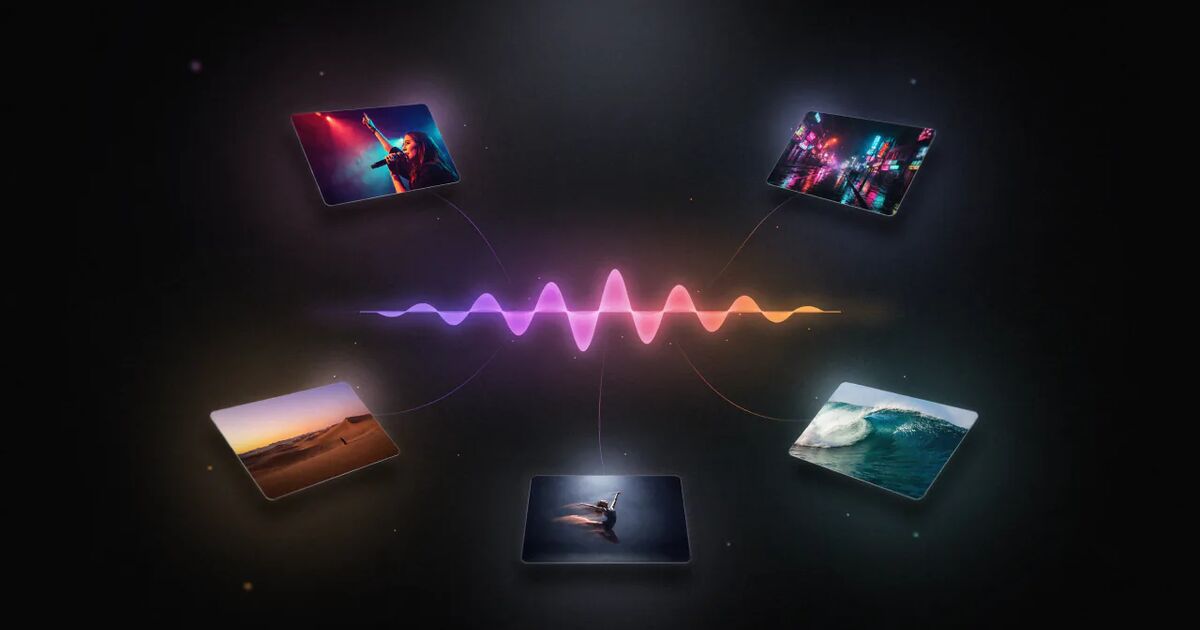
The main alternatives to Clipbeat fall into five groups: general video editors with lyric and text templates, audio-reactive visualizer tools, AI video generators that make individual clips you assemble yourself, other full-song AI music video tools, and hiring a human editor or videographer. Clipbeat fits best if you want a finished full-song video from your audio, with a scene per lyric line, a consistent main character, karaoke lyrics and a lip-synced singer, paid once from $5. Another type of tool is the better choice if you want abstract visuals, frame-by-frame creative control or a filmed performance.
This is Clipbeat's own blog, so read it with that in mind. We have tried to be fair: this article describes categories of tools and what each is good at. If you want named tools side by side, our ranked list of AI music video generators compares fourteen of them with prices taken from their official sites and a last-checked date (updated 15 November 2026). Prices change often, so check each website before you buy.
What Clipbeat does, briefly
So you can compare like with like, here is what Clipbeat is and is not:
- Starts from your audio. You upload an MP3 or WAV; the vocal is transcribed with word-level timing and the track is analysed for beats.
- Plans a scene per lyric line. Each line gets its own scene, with one main character kept across all scenes. You can be that character from one clear photo of your face, or pick an AI singer.
- Preview, then plan, then pay. Uploading, the timed lyrics and your brief come before any payment. The first payment is the $5 chorus preview of your singer singing your chorus; after it you see the scene-by-scene plan and change what you do not like.
- Makes the full song. One payment, priced by song length — from $5 Standard, $19 Plus (the chorus lip-synced) or $39 Premium (up to 12 singing shots across the song, not every line lip-synced) — makes the whole song into a 1080p video without a watermark, in 16:9 or 9:16. You see the exact price for your song before you pay.
- Has an editor. Everything lands on a multi-track timeline in Studio, with an AI Director chat panel, AI images and video shots, stock footage and your own clips.
- No subscription. Credit packs are one-time, from $5.
What it is not: a live-action shooting tool, a frame-by-frame animation suite, or an audio-reactive visualizer at heart.
1. General video editors with templates
Examples: mobile and desktop editors such as CapCut, Canva, Adobe Premiere Pro or DaVinci Resolve.
What they are good at: Full control over every cut, text style and effect. Many offer lyric and text templates, auto-captions and vertical presets. If you already have footage — a performance filmed on your phone, say — an editor is all you need.
Trade-offs: You do the timing, the scene choices and the visuals yourself. Making a full-song video from nothing takes hours, and AI-generated scenes, if available, are usually generated clip by clip.
Choose this over Clipbeat if: you have your own footage, enjoy editing and want total control over every frame.
2. Audio-reactive visualizers
Examples: tools built around audio-reactive or generative visuals. Neural Frames, for instance, is widely described as focused on audio-reactive visuals with detailed control; there are also many template-based visualizer makers.
What they are good at: Abstract or stylised motion that responds to the sound — pulsing shapes, morphing scenes, waveforms. Great for electronic music, DJ mixes and instrumental tracks where there are no lyrics to follow.
Trade-offs: The visuals respond to the sound rather than telling a story from the words. Lyric-driven scene planning and a consistent singer are not usually the focus.
Choose this over Clipbeat if: your track is instrumental or electronic and you want hypnotic, abstract visuals. (Clipbeat can make visualizer-style videos from AI scenes cut on the beat, but it does not draw audio-reactive graphics.)
3. AI video generators (clip by clip)
Examples: general-purpose AI video apps such as Kaiber.
What they are good at: High-quality individual clips from text or image prompts, with a lot of creative control over each shot. Some, like Kaiber, are known for stylised, music-friendly visuals. Clipbeat itself uses several AI image and video models under the hood.
Trade-offs: They generate clips, not music videos. You plan the scenes, keep the character consistent, sync to the beat, add lyrics and assemble the edit yourself — usually in a separate editor. Pricing is often subscription-based.
Choose this over Clipbeat if: you are an experienced creator who wants shot-by-shot control and is happy to do the edit.
4. Other full-song AI music video tools
Examples: Freebeat, Neural Frames, VibeMV, Revid, MuseGen, OpenArt and Google Flow Music, among others — some aimed at social clips and lyric videos, others at longer story videos, AI avatars or making the song itself. We compare several of them one to one: Freebeat, Neural Frames, VibeMV, Revid, MuseGen, OpenArt and Google Flow Music.
What they are good at: Like Clipbeat, they aim to turn a song into a finished video with little effort. Each has its own strengths — some focus on speed and social formats, some on avatars, some on visual style.
Trade-offs and what to compare: These tools differ a lot in the details. Compare them on:
| Question | Why it matters |
|---|---|
| Does it make the full song, or only a short section? | Some focus on short clips |
| Do scenes follow the lyrics line by line? | The most common complaint about AI videos |
| Does the main character stay the same? | Drift is the biggest giveaway |
| Is there real lip-sync on singing shots? | Makes performance shots believable |
| Subscription or one-time payment? | Changes the real cost for occasional releases |
| What can you see before paying, and what does a preview cost? | Lets you judge before spending the full price |
| Resolution and watermark at each price? | Affects whether you can publish it |
| Can you edit the result afterwards? | You will want to change something |
Choose another tool if: it answers these questions better for your song. Test with your own track, not demo music.
5. Hiring a human
Examples: a local videographer, a film student, or a freelance editor or animator on a marketplace.
What it is good at: A real shoot with you in it, a human creative eye and real locations. Nothing replaces a well-made filmed performance for some artists and genres.
Trade-offs: Cost and time. Even a simple shoot means planning, scheduling and an edit; prices vary enormously by region and experience.
Choose this over Clipbeat if: the song is a major focus single, your image is central to your music and you have the budget. Many artists use AI tools for most releases and hire for the one that matters most. You can also combine both: put filmed performance clips and AI-generated scenes on the same Clipbeat timeline.
Quick decision guide
| You want... | Best fit |
|---|---|
| A finished full-song video with lyrics from just the audio | Full-song AI tool such as Clipbeat |
| Lip-synced performance shots without filming | Clipbeat Plus (chorus) or Premium (singing shots across the song), or another tool with real lip-sync |
| Abstract visuals for an electronic or instrumental track | A dedicated visualizer tool |
| Total creative control, shot by shot | AI clip generators plus an editor |
| To edit footage you already filmed | A general video editor |
| A filmed performance with you in it | A videographer, or film it yourself |
Where Clipbeat is weaker
To be straightforward about it:
- No preview without paying. The first payment is the $5 chorus preview; some subscription tools let you try with a starter allowance instead.
- Not for live footage-first editing. You can add your own clips, but if your video is mostly filmed footage, a dedicated editor is more powerful.
- No audio-reactive graphics. Purpose-built visualizer tools draw shapes and effects that respond to the sound; Clipbeat works with scenes and shots instead.
- AI has limits. Hands, text and complex choreography can still come out wrong in individual shots; quality checks replace many bad shots, but not every one.
- No link import. Songs from Suno or elsewhere must be downloaded and uploaded as files.
- No Spotify publishing. Canvas files are uploaded in Spotify for Artists.
- English-only site, up to 1080p, no dance mode. Tools built for dance videos or higher resolutions may suit you better.
Try before you decide
The fastest way to compare is to put your own song through each tool. In Clipbeat, uploading your song and setting the brief come before any payment; the $5 chorus preview comes next, then the lyric-matched scene plan, so you can judge the plan before paying for the video. Refunds can be requested within 14 days of purchase if nothing has been generated yet. The showcase has full-length examples with scene-by-scene making-of pages.
Frequently asked questions
Which AI music video generators are most like Clipbeat?
Full-song tools such as Freebeat, VibeMV, Neural Frames, MuseGen and OpenArt are the closest. Our ranked list scores fourteen tools on pricing, lip-sync, whole-song length, using your own face and lyrics on screen, with sources.
What is the best alternative to Clipbeat?
It depends on what you need: a video editor for your own footage, an audio-reactive visualizer for instrumental tracks, AI clip generators for shot-by-shot control, or another full-song AI tool. Test them with your own song.
Is Clipbeat a subscription?
No. The full-song video is a one-time payment priced by song length, from $5, and credit packs for the editor are one-time from $5. Nothing renews.
Does Clipbeat do lip-sync?
Yes. Plus (from $19) lip-syncs your singer on the chorus, and Premium (from $39) lip-syncs up to 12 singing shots across the song, not every line. Standard has no lip-sync. The $5 chorus preview also shows your singer lip-syncing before you buy the video.
Can I use Clipbeat with my own footage?
Yes. You can add your own photos and video clips to the Studio timeline alongside AI-generated scenes.
Is Clipbeat good for instrumental music?
It works, but its strengths — scenes planned from lyrics and lip-sync — matter most for songs with vocals. A dedicated visualizer may suit instrumental tracks better.
Turn your song into a music video
Upload your song, watch your chorus preview and check the lyric-matched scene plan. Your full video is one-time, from $5 — no subscription.
Start with your songUpload and plan free · $5 one-time for your video · no subscription